

News
New at Coinflow: April 2026
Discover what we shipped last month, including expanding payment methods, strengthening fraud defenses, automating chargebacks, and launching new blockchain support.
In the world of online payments, there’s a lot happening behind the scenes when you swipe your credit card or click “checkout” on your favorite e-commerce site. For customers and businesses alike, understanding the intricacies of credit card transactions can be daunting. That’s why we’re here to demystify the process, focusing specifically on authorization, capture, and void — the fundamental components that ensure smooth and secure payment processing.
When you make a purchase with your credit card, the first step in the transaction process is authorization. This is where your payment provider communicates with the issuing bank (the bank that issued your credit card) to verify that the card is valid and has sufficient funds to cover the transaction amount.
The issuing bank responds with either an approval or a decline. If approved, a hold is placed on the funds in your account, effectively reserving the amount for the transaction.

If the card network or the issuing bank declines the card transaction then an authorization code will appear along with the transaction. These codes come from the card networks (Visa/Mastercard) or the customer’s bank account, not Coinflow. Coinflow is not at fault for these declines. A list of these codes with their reasons can be found here.
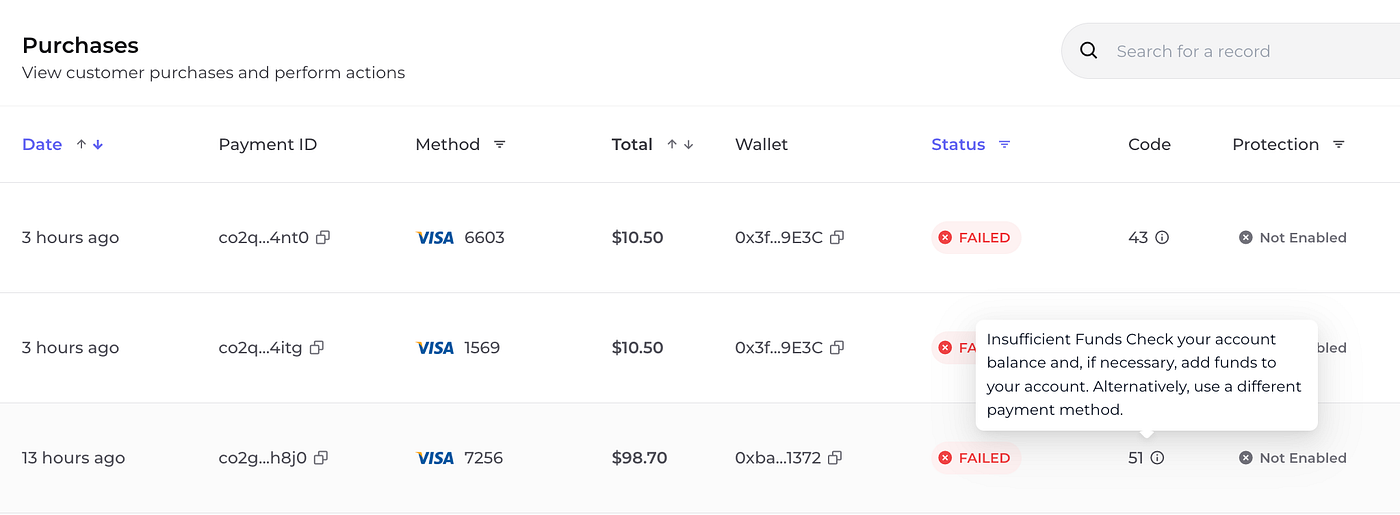
During the card authorization phase, the payment processor validates the purchase made by the customer. During the authorization phase, the customer will see a transaction that shows as a pending on their card statement. Note that this is not officially a charge until the payment is captured, per the below steps.
Once authorization is obtained, the next step is capture. This is where the Coinflow actually collects the funds from the customer’s account. Capture can specify an amount equal to or less than the original capture amount.
Here’s what happens:
The combination of the authorization before running any blockchain transactions with customer capture after the fact, ensures the following:
Sometimes, transactions need to be canceled after authorization but before capture. This is where void comes into play. A void essentially cancels the transaction before any funds are transferred.
Here’s when a void might be necessary:

Knowing how purchases are processed and what each step in the process means allows your business to respond to customer questions related to their account statements in a timely manner.
If you would like to know more, please check out the docs available here, or reach out to sales at sales@coinflowlabs.app.

The future of payments, delivered today.
News
Discover what we shipped last month, including expanding payment methods, strengthening fraud defenses, automating chargebacks, and launching new blockchain support.

News
See what we shipped at Coinflow in February 2026 from universal tokenization and higher ACH limits to smarter payment orchestration.

News
Discover everything we shipped last month at Coinflow: smart payment orchestration and PayPal/Venmo payouts to Canadian expansion, ACH pay-ins, and Monad blockchain support.